

Supported carriers
Secrets are encrypted at rest and are never returned by the dashboard, Public API, or MCP.
Import a number
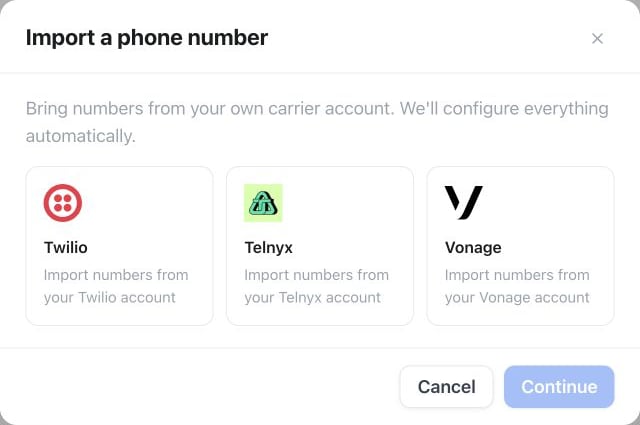
Settings → Phone numbers → Add a number → Import from your carrier: select your carrier, then Continue to its connection details.
- Open Settings → Phone numbers → Add a number → Import from your carrier.
- Select the carrier, enter credentials, and choose the SIP region.
- Select voice-capable numbers that are not already routed elsewhere.
- Import the numbers and assign an assistant.
- Test one inbound and one outbound call before using the number in a campaign.
Vonage routing protection
Vonage numbers with an existing app, telephone, or unrelated SIP callback are marked as unavailable. Carrier import never overwrites that routing. When a Vonage number is removed, its callback is cleared only if it still points to the exact regional SIP endpoint configured by this connection. A callback changed later in Vonage is preserved.SIP regions and troubleshooting
The selected region determines the SIP endpoint used for inbound signaling. Changing it runs provider diagnostics and repairs imported-number routing. Troubleshoot verifies:- carrier credentials and account balance;
- provider trunk/connection or direct number routing;
- for Telnyx, that the connection still accepts the platform’s SIP credentials and allows calls to your numbers’ countries;
- that every imported number sends its SIP credentials and an international caller ID on outbound calls;
- inbound and outbound connectivity;
- number and assistant assignments.
Public API and MCP
The Public API exposes:GET/POST /api/v1/carrier-connectionsGET/PATCH/DELETE /api/v1/carrier-connections/{id}GET /api/v1/carrier-connections/{id}/available-numbersPOST /api/v1/carrier-connections/{id}/importDELETE /api/v1/carrier-connections/{id}/numbers/{numberId}POST /api/v1/carrier-connections/{id}/troubleshoot
sip_trunks:read or sip_trunks:write scope. Equivalent MCP tools are list_carrier_connections, create_carrier_connection, get_carrier_connection, update_carrier_connection, list_carrier_available_numbers, import_carrier_numbers, remove_carrier_number, delete_carrier_connection, and troubleshoot_carrier_connection.