

Billing your white-label customers
White-label resellers can connect their own Stripe account and sell plans under their own brand.1
Connect your account
Open Whitelabel Admin → Connect payments → Overview and select Connect with Stripe. Complete the guided onboarding, then use Refresh status to check Account details, Payments, and Payouts. Once ready, this area is named Payments & payouts.
2
Create customer plans
Define the prices, included credits, limits, and optional add-ons you want to offer. See Plans & Pricing Setup.
3
Let customers subscribe
Customers choose a plan through checkout on your branded domain. Payments are collected through your connected account and your applicable platform fees are shown in the billing area.
4
Review payouts and performance
Open Payments & payouts → Payments, Payouts, or Balance report for financial details. You can also open the connected Stripe dashboard from this area. Use Famulor’s billing overview to compare plan revenue with your service costs.
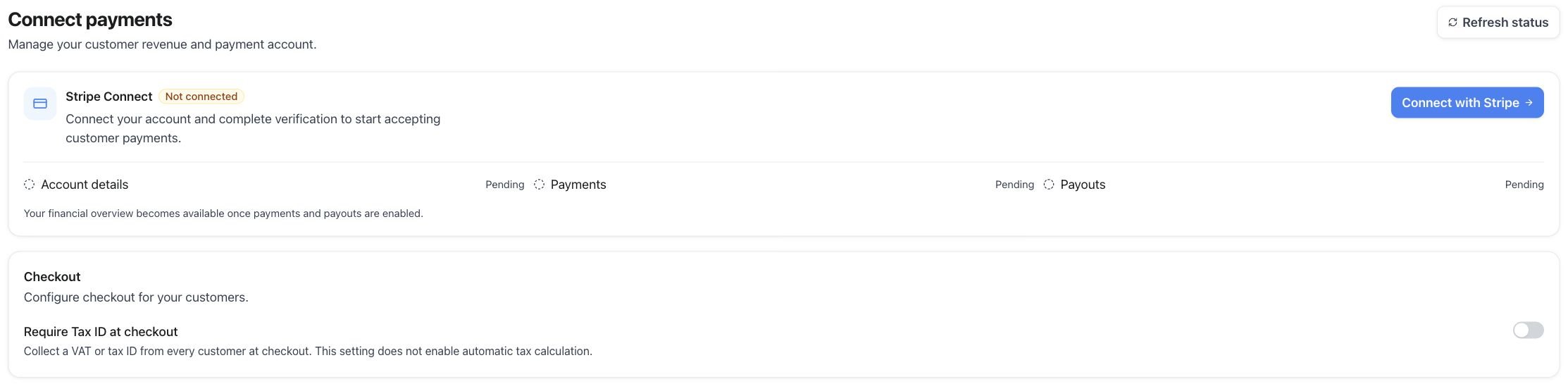
Connect payments — Stripe onboarding entry point before an account is connected
What customers can manage
Customers can open their billing portal to:- update payment methods,
- download invoices,
- change or cancel a subscription, and
- buy additional credits when available.
Availability and payout timing depend on the status and country of your connected Stripe account.