> ## Documentation Index
> Fetch the complete documentation index at: https://docs.famulor.io/llms.txt
> Use this file to discover all available pages before exploring further.
# Marketing integrations
> Configure GA4, Meta, Google Ads and Microsoft UET on a white-label domain.
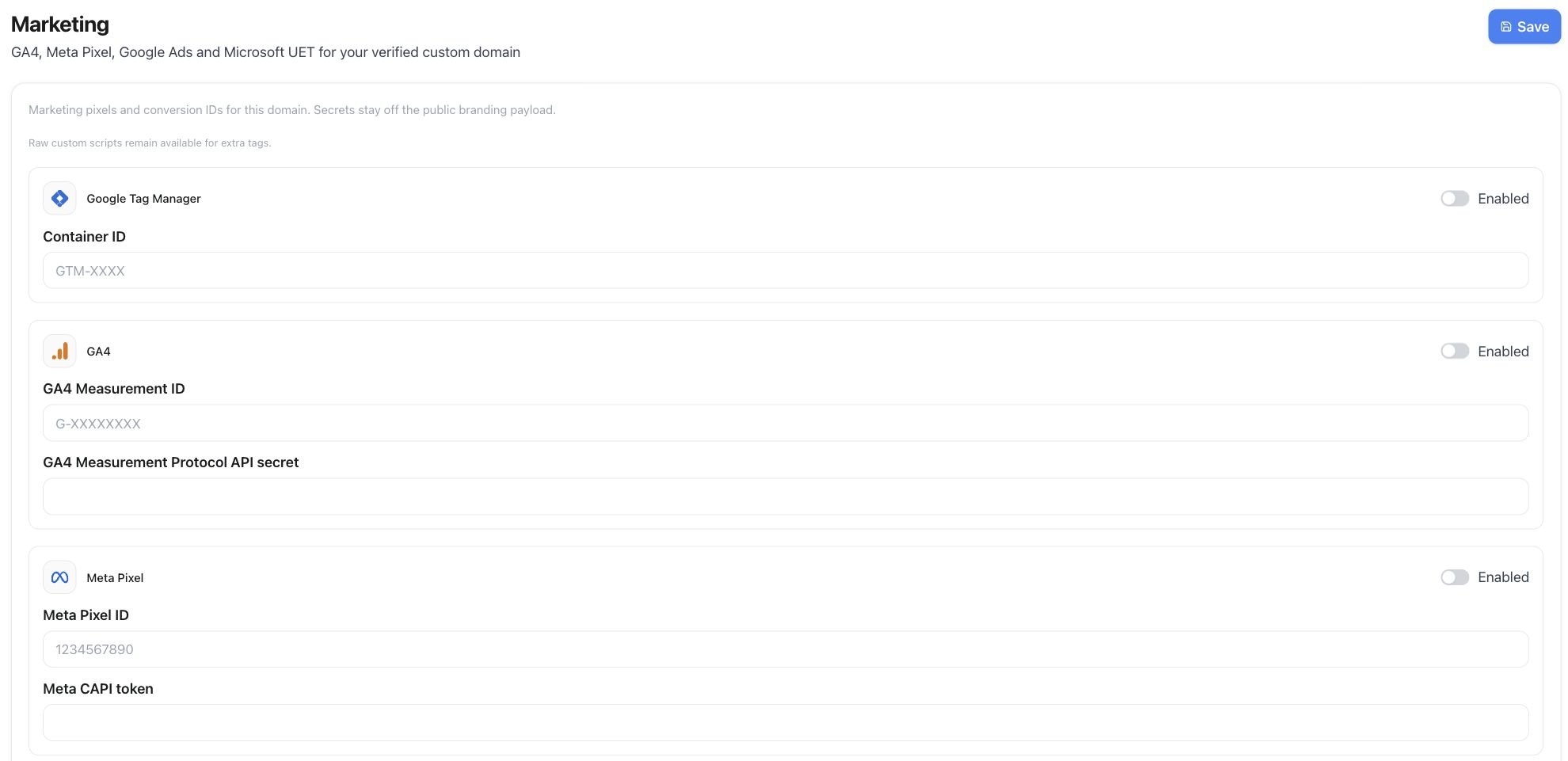
Marketing integrations add analytics and advertising tags to a [**verified white-label domain**](/admin/tenants-and-whitelabel). The reseller controls the configuration for that domain; customer workspaces do not configure separate tags. It's one section of [White Label Setup](/admin/whitelabel-setup) — see that page for every other setting in Tenant Admin → Settings.
## Where to configure
Open **Tenant Admin → Settings → Marketing** on the white-label workspace.
Use **Custom scripts** only for tags that are not covered by the guided fields. Connection tokens are saved securely and are not displayed again after saving.
 ## Events
| Event | When | Ads primary |
| - | - | - |
| `generate_lead` | Demo / enterprise / ROI forms on the marketing site | Yes |
| `sign_up` | Successful registration | Yes |
| `begin_checkout` | Plan checkout started | No |
| `purchase` | Paid Stripe checkout | Yes (EUR value) |
Browser and conversion events are coordinated to avoid reporting the same conversion twice.
## API and MCP
* `GET /api/v1/settings/marketing` / `PUT /api/v1/settings/marketing`
* MCP `get_marketing_integrations` / `update_marketing_integrations`
Requires white-label access and `settings:read` / `settings:write`.
This documentation is built and hosted on [Mintlify](https://mintlify.com), a developer documentation platform.
## Events
| Event | When | Ads primary |
| - | - | - |
| `generate_lead` | Demo / enterprise / ROI forms on the marketing site | Yes |
| `sign_up` | Successful registration | Yes |
| `begin_checkout` | Plan checkout started | No |
| `purchase` | Paid Stripe checkout | Yes (EUR value) |
Browser and conversion events are coordinated to avoid reporting the same conversion twice.
## API and MCP
* `GET /api/v1/settings/marketing` / `PUT /api/v1/settings/marketing`
* MCP `get_marketing_integrations` / `update_marketing_integrations`
Requires white-label access and `settings:read` / `settings:write`.
This documentation is built and hosted on [Mintlify](https://mintlify.com), a developer documentation platform.