> ## Documentation Index
> Fetch the complete documentation index at: https://docs.famulor.io/llms.txt
> Use this file to discover all available pages before exploring further.
# Assistant timezone
> How an assistant's IANA timezone shapes time-aware tools, variables, and business hours — and when a campaign overrides it
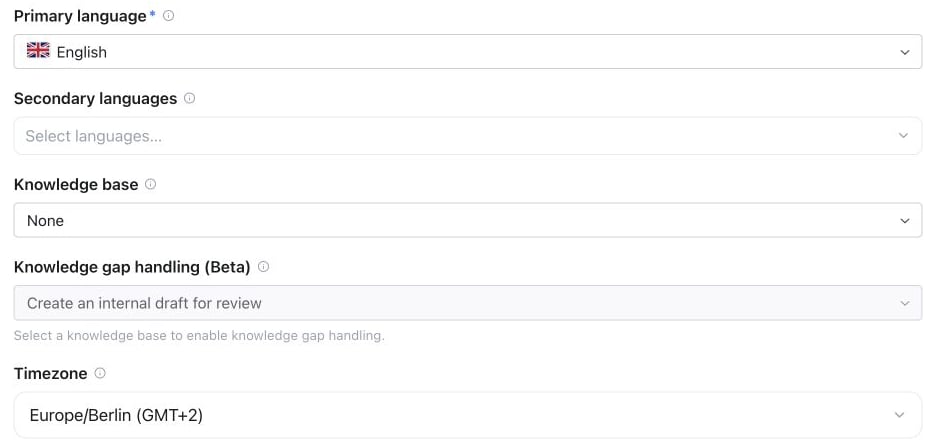
Every assistant carries a **timezone** — an IANA identifier such as `Europe/Berlin` or `America/New_York`, picked from a dropdown in the assistant settings. It defines what "now" means for the assistant, so *"tomorrow at 3 pm"* resolves to the caller's local tomorrow, not UTC.
The default is `Europe/Berlin`.
 ## What the assistant timezone affects
| Consumer | Effect |
| - | - |
| **`get_current_time` system tool** | The always-on [system tool](/assistants/built-in-tools#call-variables-and-current-time) returns the current date and time localized to this timezone — used whenever the model resolves relative dates ("next Tuesday", "in two hours") or books appointments. |
| **Time system variables** | `{{time}}`, `{{date}}`, `{{datetime}}`, and `{{weekday}}` (see [Variables](/assistants/variables)) are rendered in this timezone at call start. |
| **Business-hours tool** | The [`check_business_hours`](/assistants/built-in-tools#business-hours-and-callbacks) built-in tool evaluates its weekly schedule in this timezone — "open" always means open *locally*. |
## Campaign timezone override
Outbound [campaigns](/campaigns/overview) have their own timezone (used for calling windows). On a campaign call it **wins over the assistant's timezone** for that call:
```text theme={null}
effective timezone = campaign timezone (meta.timezone) ?? assistant timezone
```
So one assistant can serve campaigns in different regions and still tell each lead the correct local time. Calls without a campaign (inbound, single outbound calls, web) always use the assistant's timezone.
The timezone changes what the assistant *says and checks* about time — it does not shift call scheduling itself. Campaign calling windows are governed by the campaign's own timezone either way.
## Setting the timezone via API
Use `PATCH /api/v1/assistants/{id}` or the MCP `update_assistant` tool to change the assistant timezone programmatically. See the public API schema for the accepted timezone value.
This documentation is built and hosted on [Mintlify](https://mintlify.com), a developer documentation platform.
## What the assistant timezone affects
| Consumer | Effect |
| - | - |
| **`get_current_time` system tool** | The always-on [system tool](/assistants/built-in-tools#call-variables-and-current-time) returns the current date and time localized to this timezone — used whenever the model resolves relative dates ("next Tuesday", "in two hours") or books appointments. |
| **Time system variables** | `{{time}}`, `{{date}}`, `{{datetime}}`, and `{{weekday}}` (see [Variables](/assistants/variables)) are rendered in this timezone at call start. |
| **Business-hours tool** | The [`check_business_hours`](/assistants/built-in-tools#business-hours-and-callbacks) built-in tool evaluates its weekly schedule in this timezone — "open" always means open *locally*. |
## Campaign timezone override
Outbound [campaigns](/campaigns/overview) have their own timezone (used for calling windows). On a campaign call it **wins over the assistant's timezone** for that call:
```text theme={null}
effective timezone = campaign timezone (meta.timezone) ?? assistant timezone
```
So one assistant can serve campaigns in different regions and still tell each lead the correct local time. Calls without a campaign (inbound, single outbound calls, web) always use the assistant's timezone.
The timezone changes what the assistant *says and checks* about time — it does not shift call scheduling itself. Campaign calling windows are governed by the campaign's own timezone either way.
## Setting the timezone via API
Use `PATCH /api/v1/assistants/{id}` or the MCP `update_assistant` tool to change the assistant timezone programmatically. See the public API schema for the accepted timezone value.
This documentation is built and hosted on [Mintlify](https://mintlify.com), a developer documentation platform.